Everything here works from any assistant you've connected to Sauro. The quoted lines are things to say, word for word or in your own way.
Humanize a draft
Paste a draft into the chat and ask for it to sound like a person wrote it. By default Sauro points out what reads like a machine wrote it (stock phrases, dashes, filler, sentences that all run the same length) and your assistant fixes those, keeping every fact, number and link. If your brand has a voice in Sauro, the fixes follow it.
- Paste the draft into the chat.
- Ask your assistant to humanize it, or to put it in your brand voice.
- Read the new version. Ask for another pass if something still sounds off.
Humanize this before it goes out.
Put this newsletter intro in the Acme voice.
If you'd rather see exactly what changed, ask Sauro to do the rewrite itself. It sends back a link to a before-and-after page with each change marked and a few numbers on how the text moved.
Have Sauro rewrite this and show me the before and after.
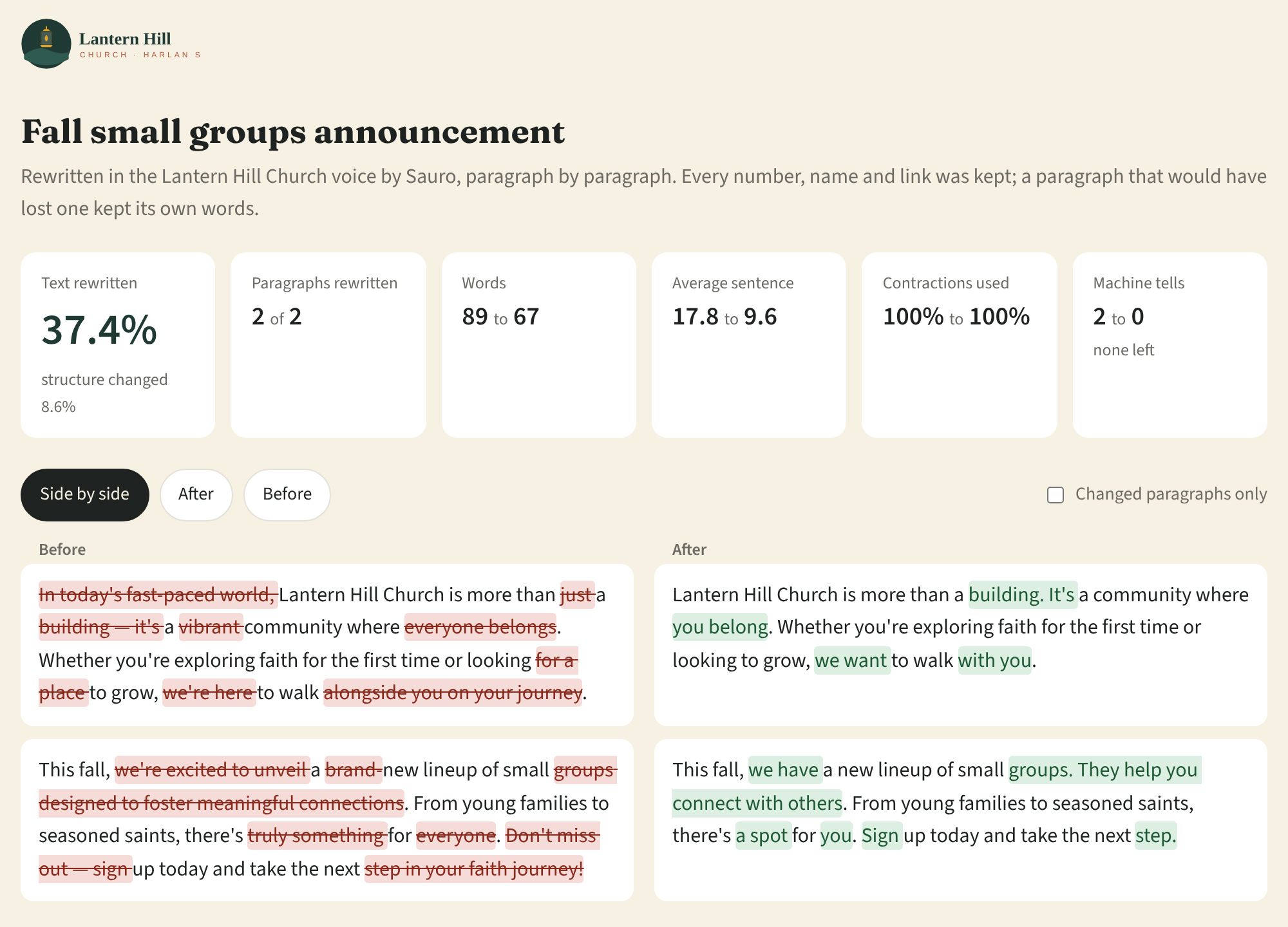
To strip characters nobody can see (zero-width spaces, odd spaces, letters borrowed from other alphabets) before you publish something an AI wrote, ask to clean it. You get the same kind of before-and-after link.
Clean this text before I post it.
Bring in numbers from Google Cloud
Sauro doesn't log in to Google Cloud itself. Your numbers get there one of three ways, and you can mix them.
Upload an export
This is the quickest way for a lot of rows. From BigQuery, Google Sheets, Looker Studio, Google Analytics or Search Console, download the result as a CSV or Excel file. Then ask your assistant for an upload page.
- Run the query or open the report, and download it as CSV or Excel (in BigQuery, Save results, then CSV; in Sheets, File, then Download).
- Ask your assistant for a Sauro upload page.
- Open the link, pick the file and click Upload to Sauro.
- The page tells you how many values were saved, how many were already there, and why any row was turned away.
I have a BigQuery export of weekly revenue. Give me a Sauro upload page.
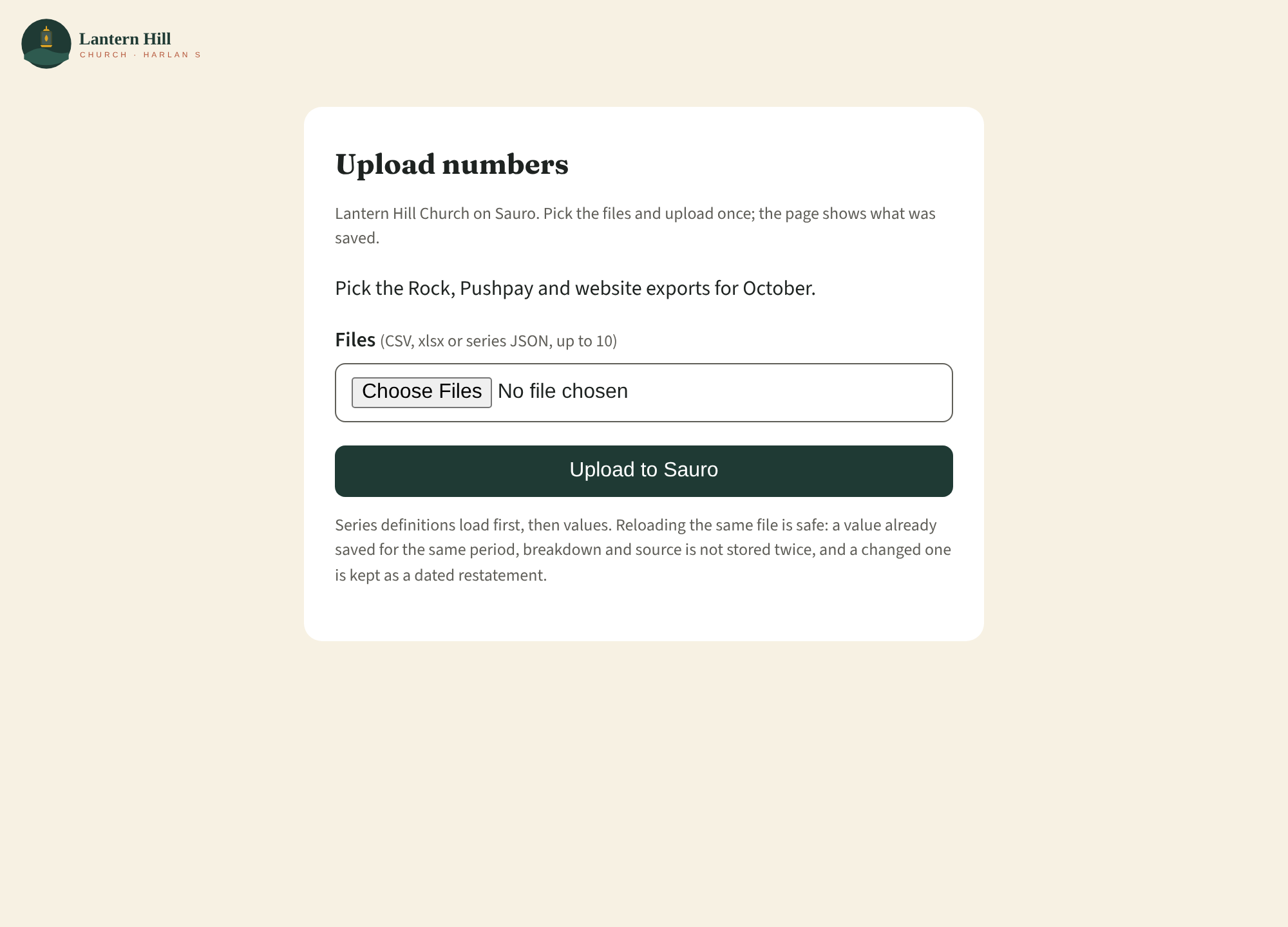
Uploading the same file again is safe. Sauro skips values it already has and keeps a changed value as a dated correction, so the old figure isn't lost. The link works for a couple of hours and only for your organization.
Let your assistant read Google for you
If your assistant already reaches Google (Claude, ChatGPT and Gemini all have Google Drive connectors, and some teams add a BigQuery one), it can read a sheet or run a query and save the result in Sauro in the same chat. This suits a few dozen numbers at a time.
Read the "Weekly KPIs" sheet in my Drive and record last week's signups and revenue in Sauro.
Run our weekly orders query in BigQuery and save the totals in Sauro.
Put it on a schedule
An agent that runs on its own, like a Grok Bot Routine, an OpenClaw job or Hermes, can pull the same numbers every morning and record them, so nobody has to remember. Sauro notices when a number that usually arrives goes quiet and says so in the morning brief.
Every Monday at 7, pull last week's Search Console clicks and impressions and record them in Sauro.
Make a chart from your numbers
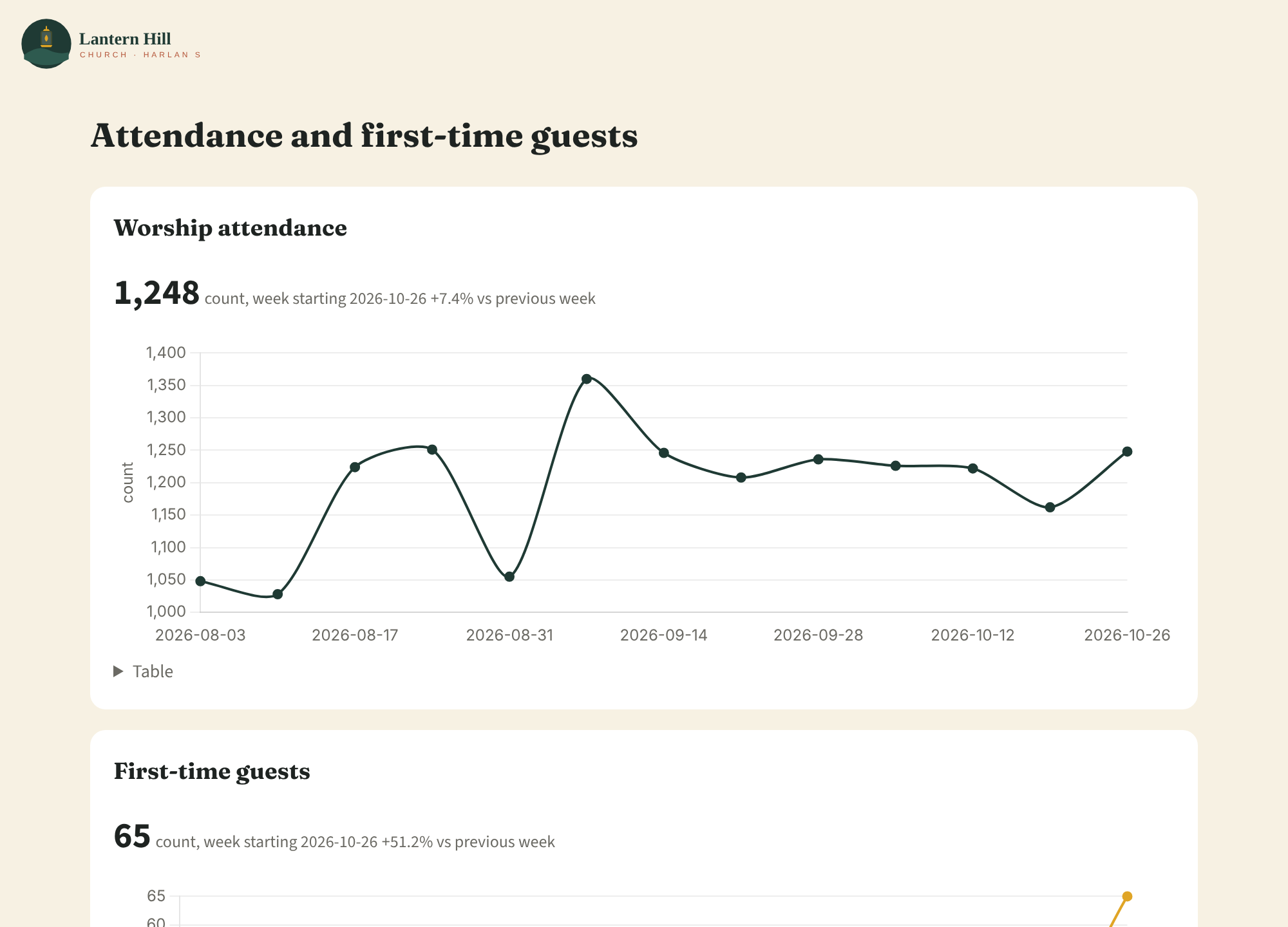
Ask to see a number, and Sauro draws a chart page in your brand's colors with the latest value, the change against the period before, and a table underneath. You get a link to share with the team.
- Ask for the chart in plain words. Name more than one number if you want them on one page.
- Open the link your assistant gives you.
- Open Table under any chart for the exact values and dates.
Chart worship attendance and first-time guests for the last quarter.
If you have numbers in the chat that aren't in Sauro yet, say so and your assistant will record them first, then chart them. For something more custom, like a dashboard with several charts and notes, ask your assistant to build the page and publish it with Sauro. Sauro hosts it and puts your logo and colors on it.
Build a one-page dashboard of this month's giving and attendance, and publish it with Sauro.
Upload your brand kit
A brand kit is your colors, fonts, logos and writing rules. Once it's in Sauro, every page Sauro hosts wears it, and every assistant on your team uses it for slides, documents and posts. Each project (a client, product or campaign) can have its own kit.
- Give your assistant what you have: a brand guide PDF, your website, or the colors and fonts typed out.
- For logos, give the web address of each logo image, for example the one on your website. Sauro keeps a link to the image, so it needs an address it can reach.
- Ask your assistant to save it as your brand kit in Sauro. Name the project if the kit is for one.
- If you're an admin or brand owner, it's live at once. Anyone else's change waits for a brand owner to approve it.
Here's our brand guide. Save it as the brand kit for the Acme project in Sauro.
Our logo is at https://acme.example/logo.svg. Add it to the Acme brand kit.
Then teach Sauro how the brand sounds. Point it at a few pages of real copy and it learns the voice your assistant should write in.
Learn Acme's voice from their about page and their latest blog post.
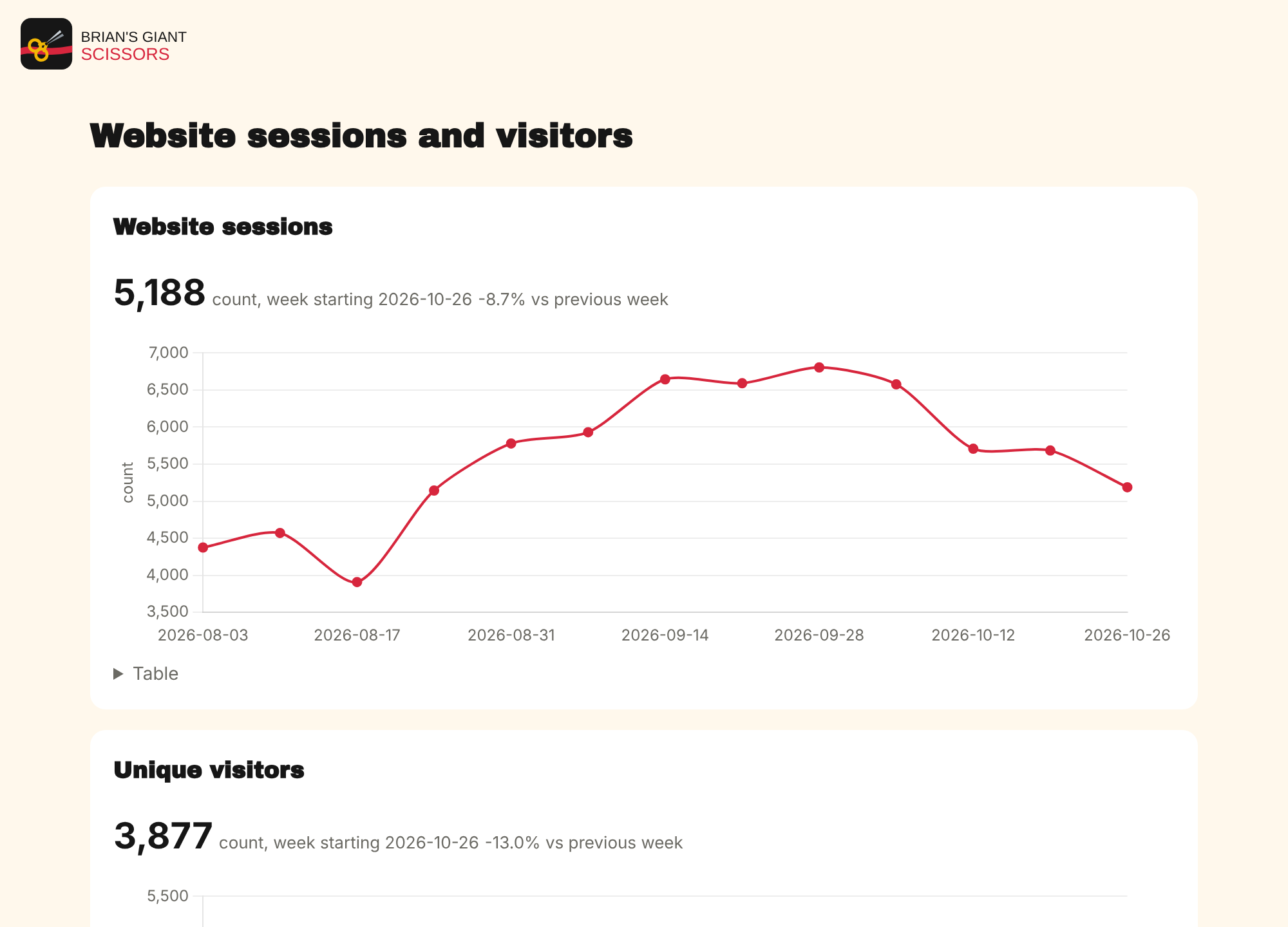
To check what's saved:
Show me the Acme brand kit.
Where to go next
The guides cover each part of Sauro in more depth, and Field Notes go further, one idea at a time. If you're stuck, ask Sauro itself.
What can Sauro do, and what does it know about us?